Unlocked is built for brains that struggle to start. Capture tasks instantly, execute with a focused timer, and actually get things done.
Pick the accent that puts you in the zone. It changes everything — from the timer ring to the notification bar. One tap in Settings.
No fluff. No bloat. Just the tools to get from "I should do this" to actually doing it.
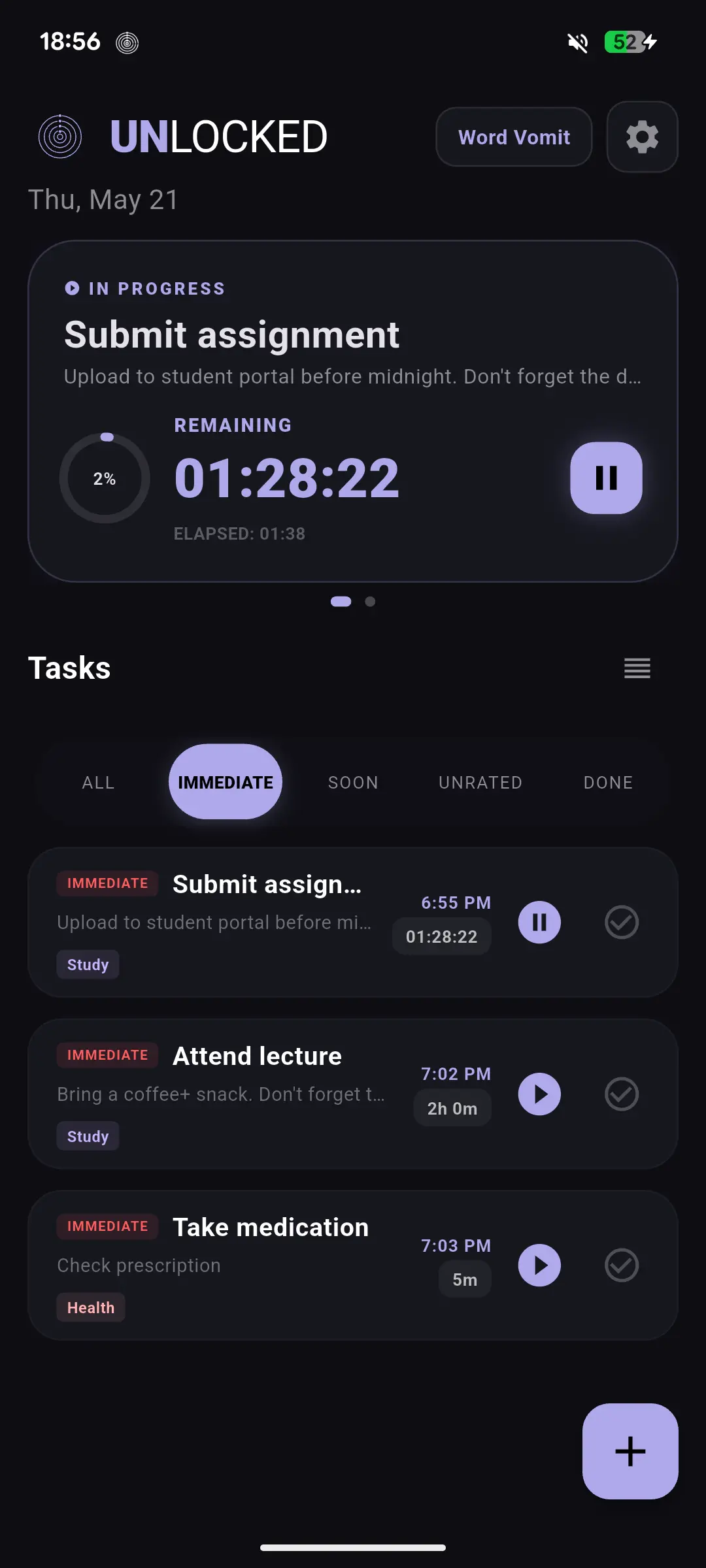
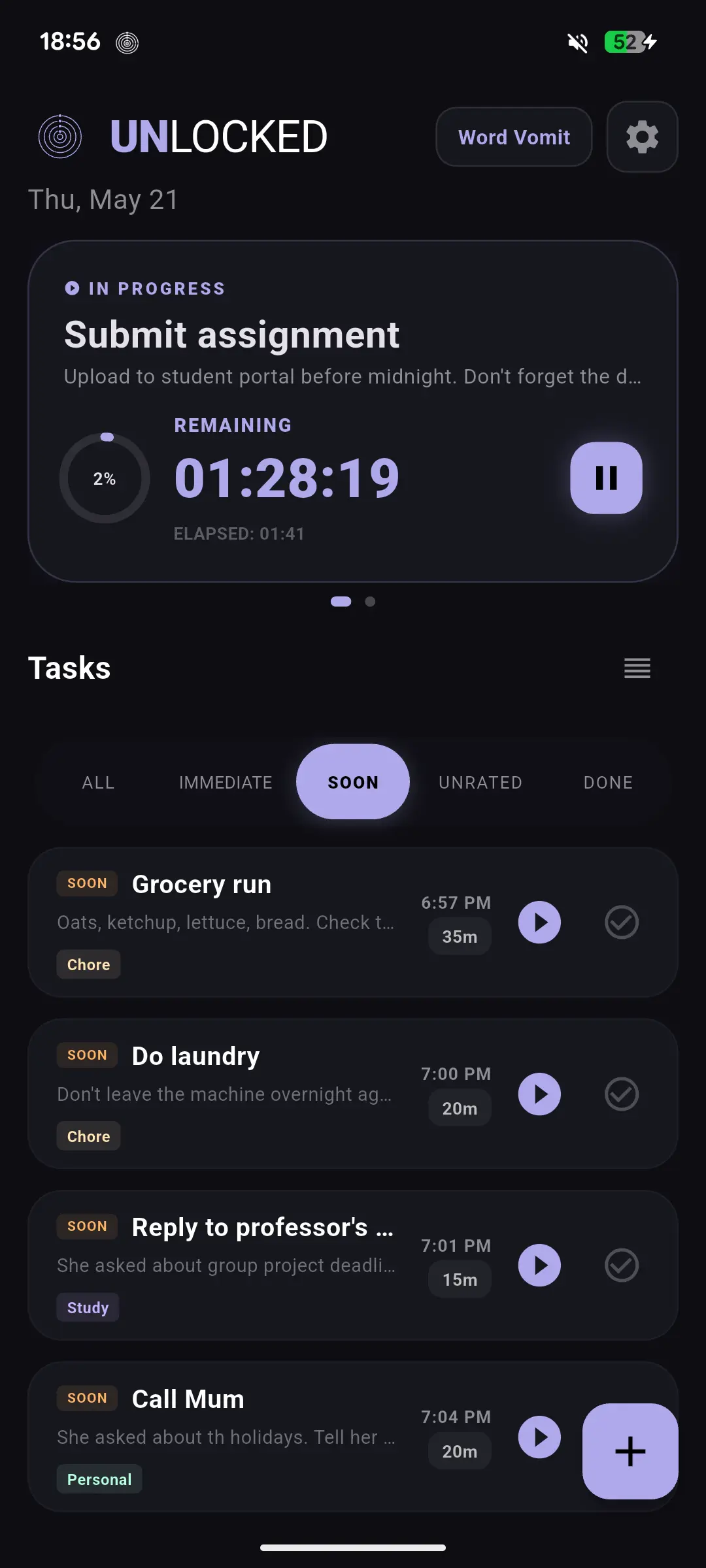
Three priority levels with zero overthinking. Immediate tasks have a fixed time today. Soon tasks stay on today's list without a clock. Unrated are on your radar, waiting.
Zero friction
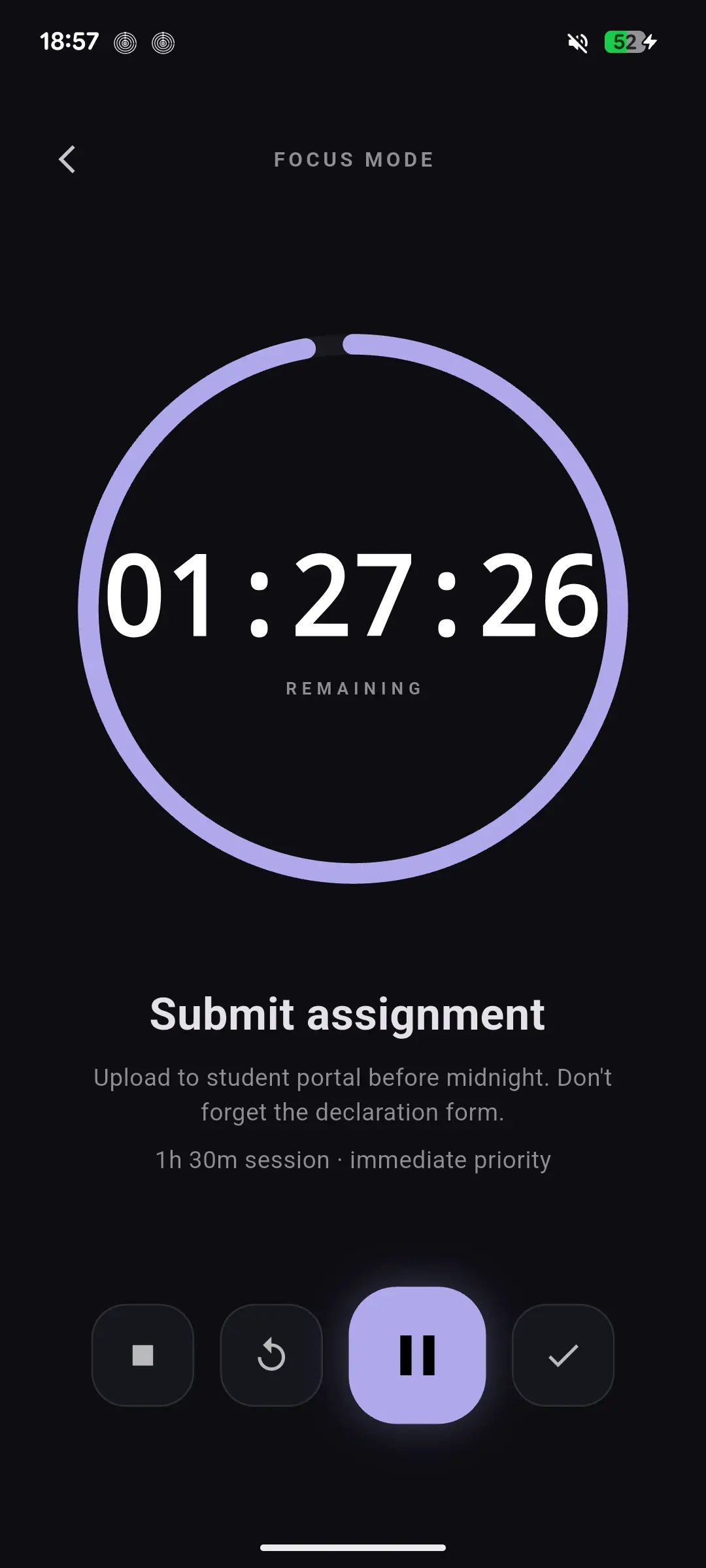
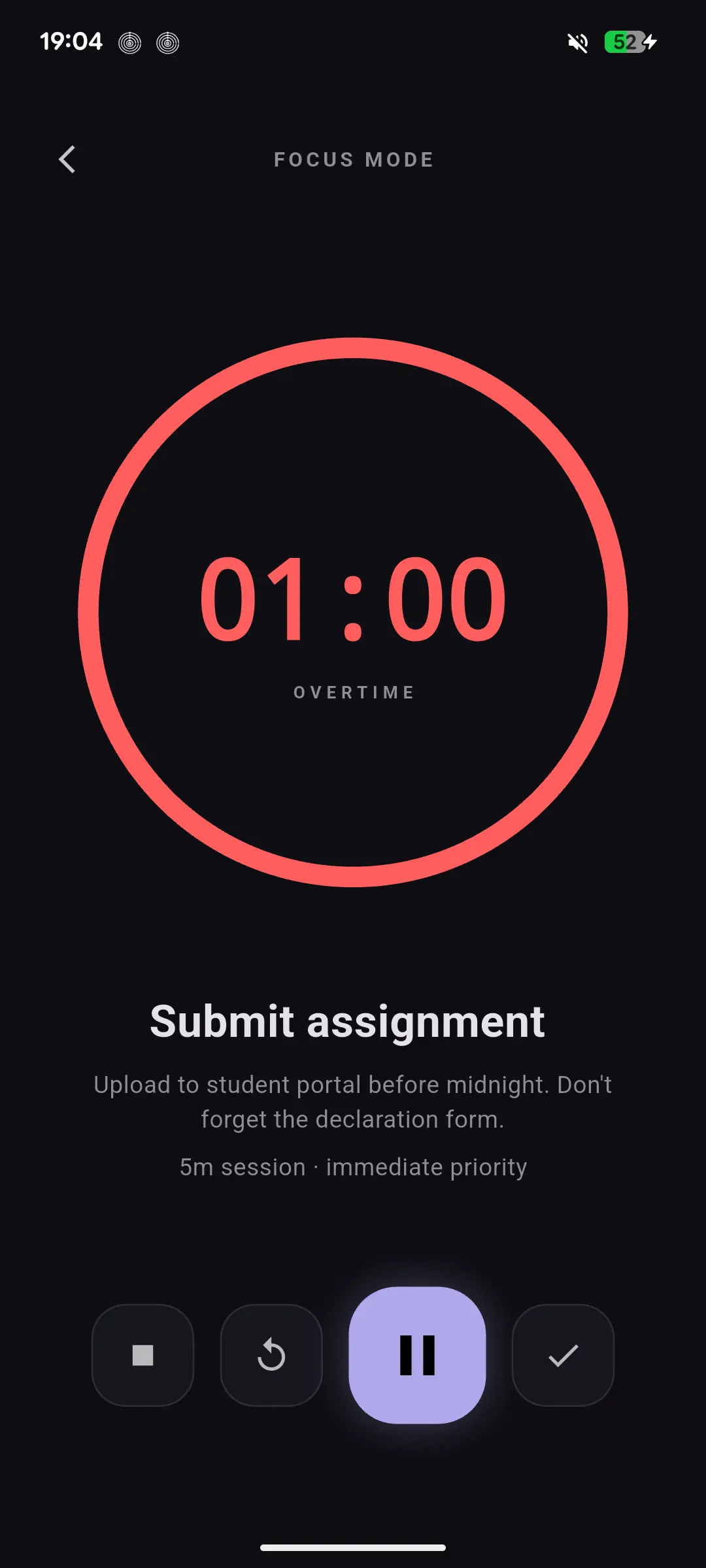
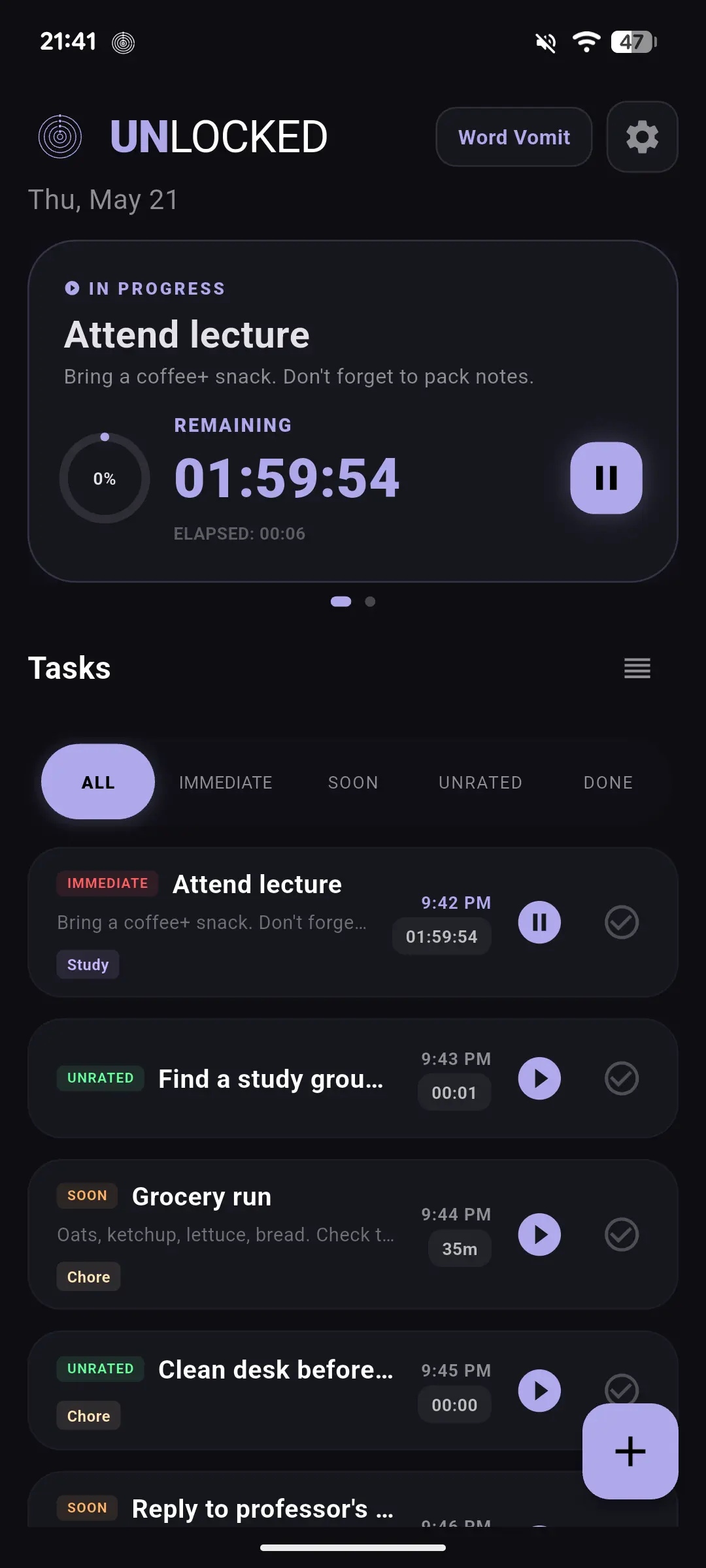
One task. Full screen. A countdown ring that locks you in. When time runs out and you're still going, Overtime mode kicks in and keeps counting up in red.
Deep work
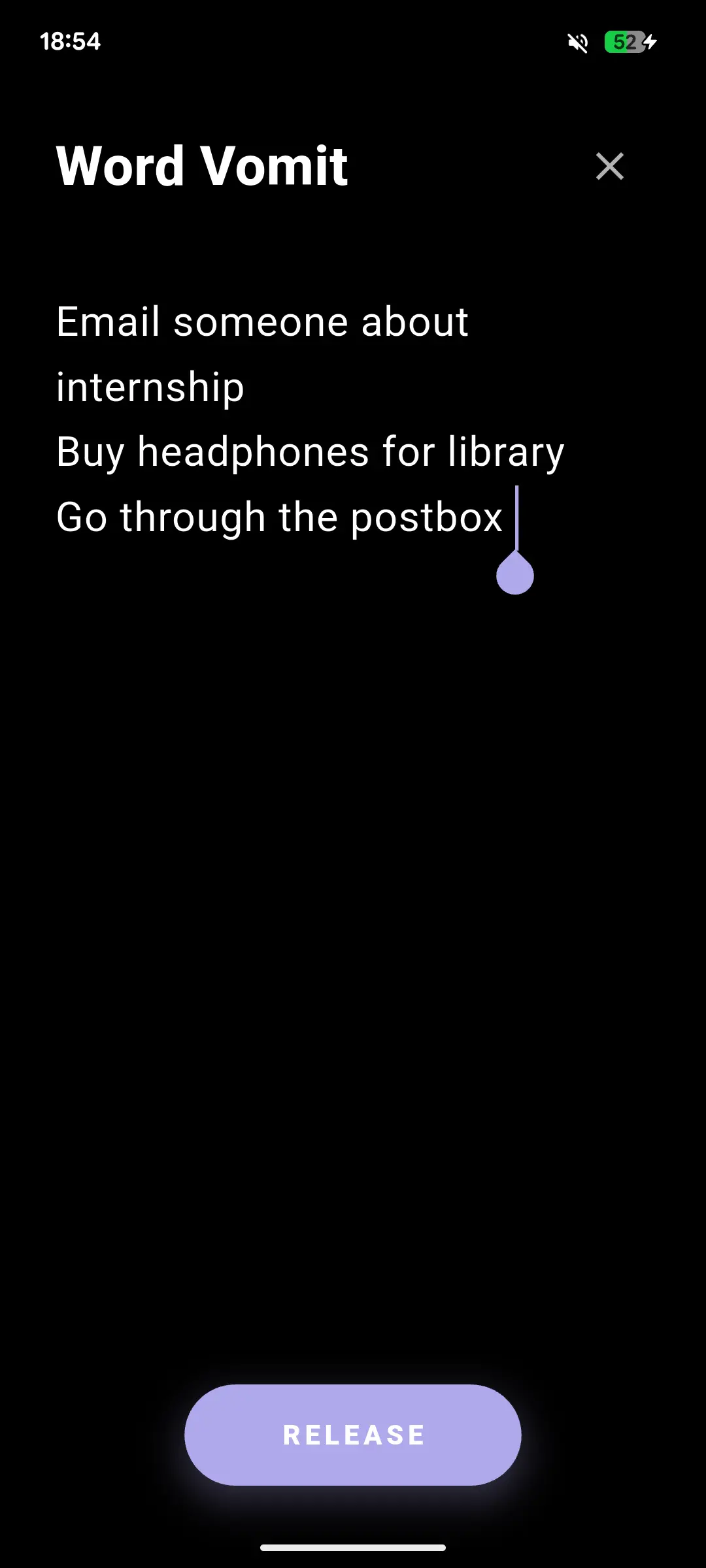
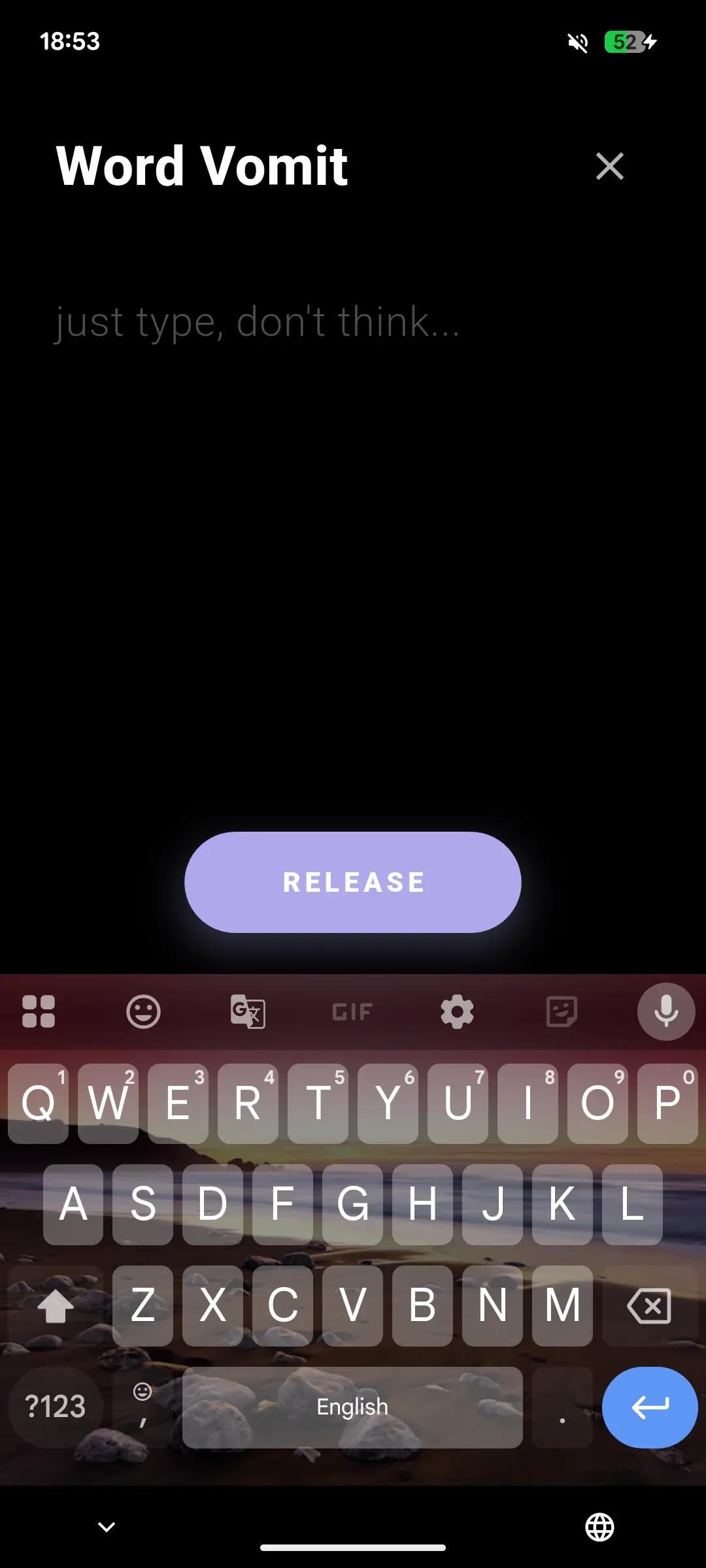
Brain dump first, sort later. Open Word Vomit, type your chaotic thoughts, hit Release. Every line lands in Sort Later. Swipe right when you're ready to promote a task to Unrated.
Brain dump
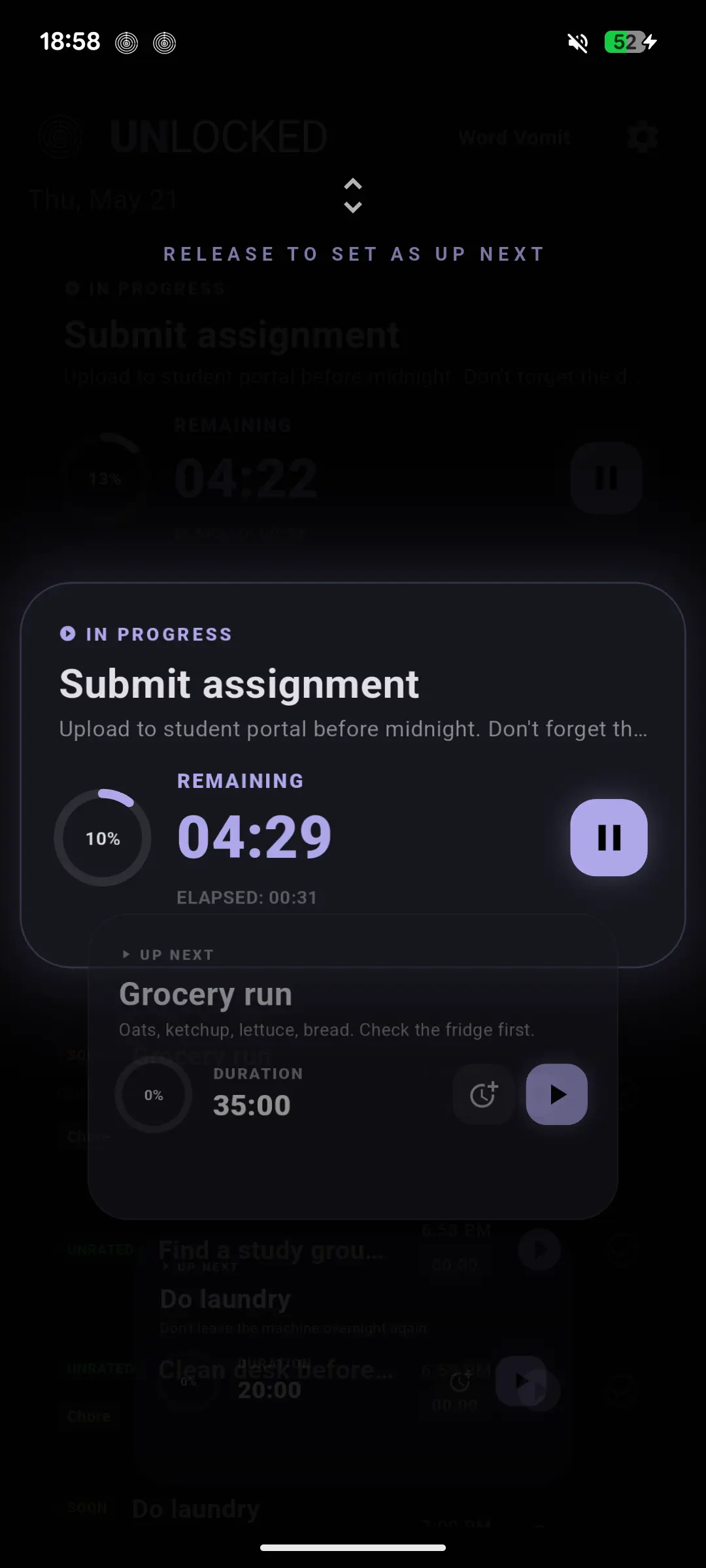
Long press any task in the Up Next card for a full preview. Start, reschedule, or mark done without navigating anywhere. Fast decisions, zero context switching.
Quick actions
Close the app. Lock your screen. Scroll Instagram. The countdown doesn't care. It runs in a background service and keeps going until you stop it.
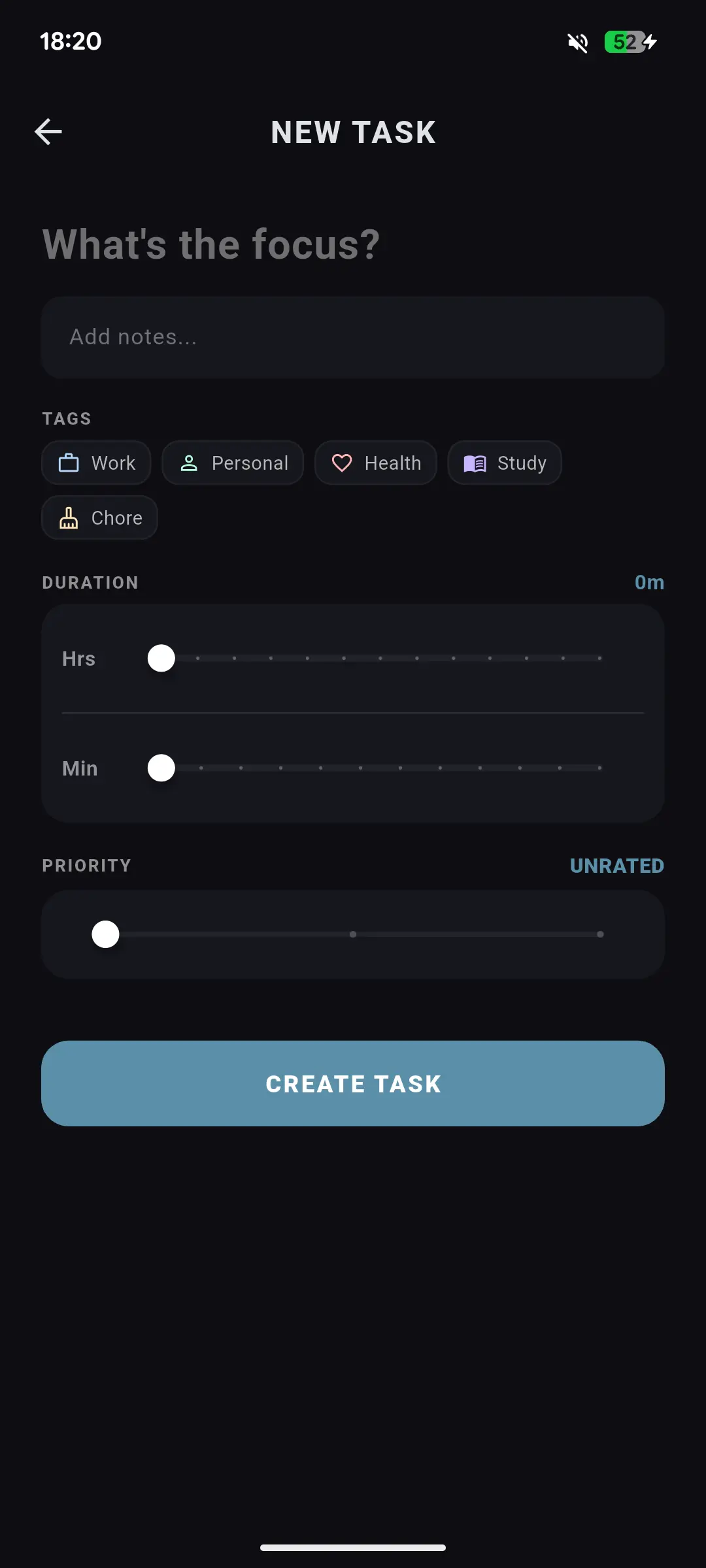
Name it. Tag it. Set a duration and priority. Add notes if you need to remember something specific. Done in under 20 seconds.
Immediate gets a time. Soon stays on today's list. Not sure yet? Word Vomit it into Sort Later and sort it when your brain is ready.
Hit play. Enter Focus Mode. The timer runs in the background even if you close the app. When done, the task logs to your activity history.
ADHD brain firing at full speed? Open Word Vomit. Type everything on separate lines. Hit Release. Every line becomes a task in Sort Later with zero friction.
Nothing gets lost in the mental chaos. Every thought lands safely.
Ready to act? Swipe right and it moves to Unrated, ready to schedule.
Intentional design. Promote it first. Every task deserves at least one moment of intention before you start the clock.
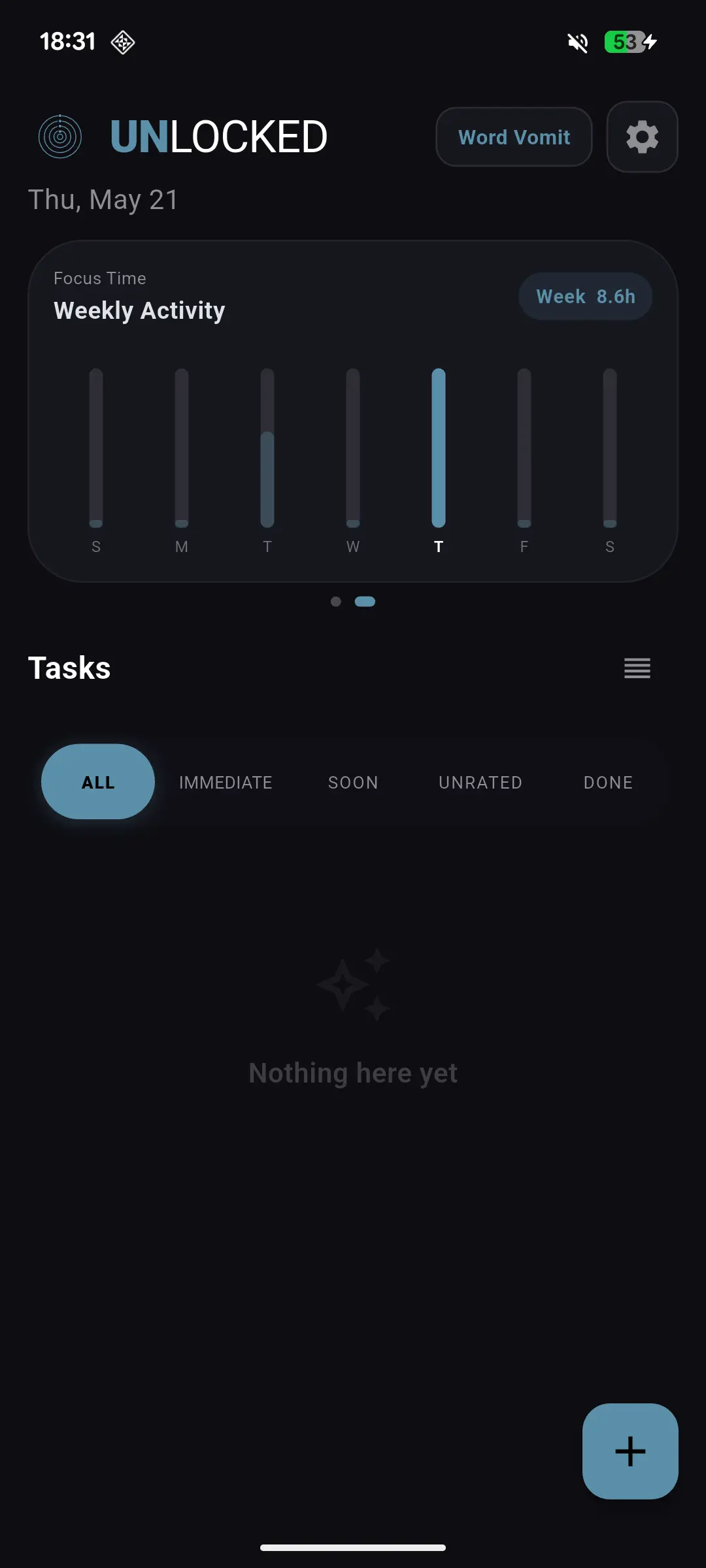
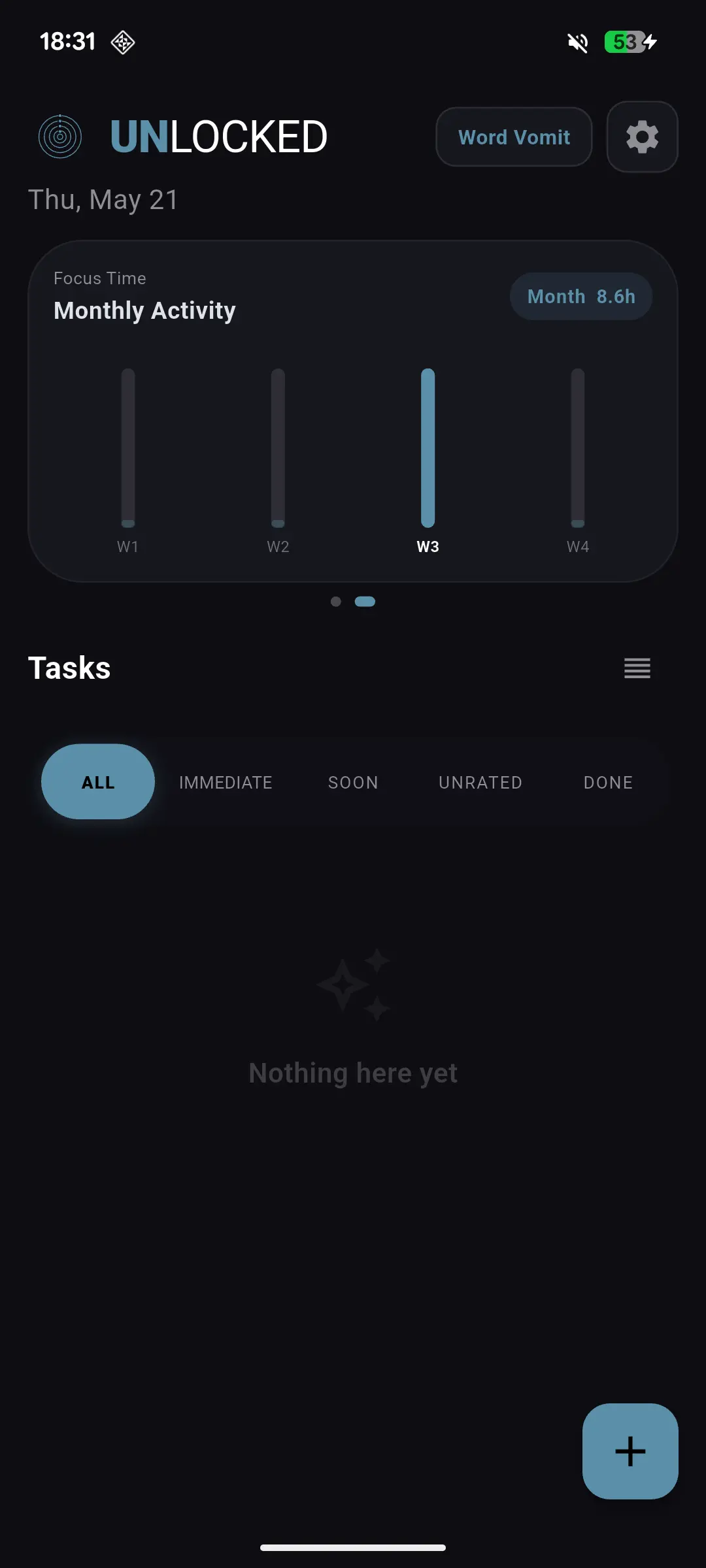
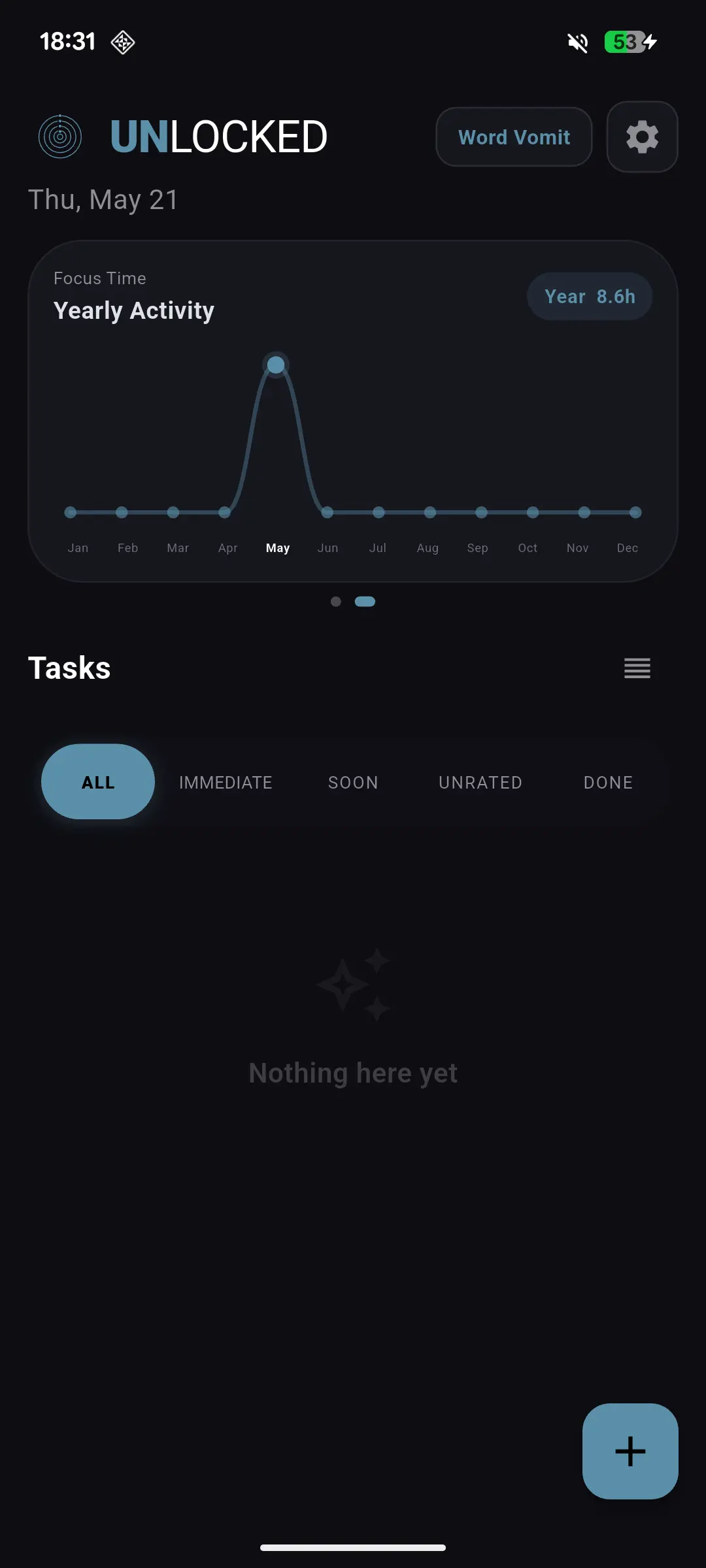
Weekly, monthly, and yearly activity charts show you how your focus time adds up. Not to guilt-trip you — to show you how far you've actually come.
Hour-by-hour focus bars. See when you're sharpest throughout the day.
Zoom out to see week-over-week patterns and your best months.
A full year of focus time in one chart. Watch that line climb.
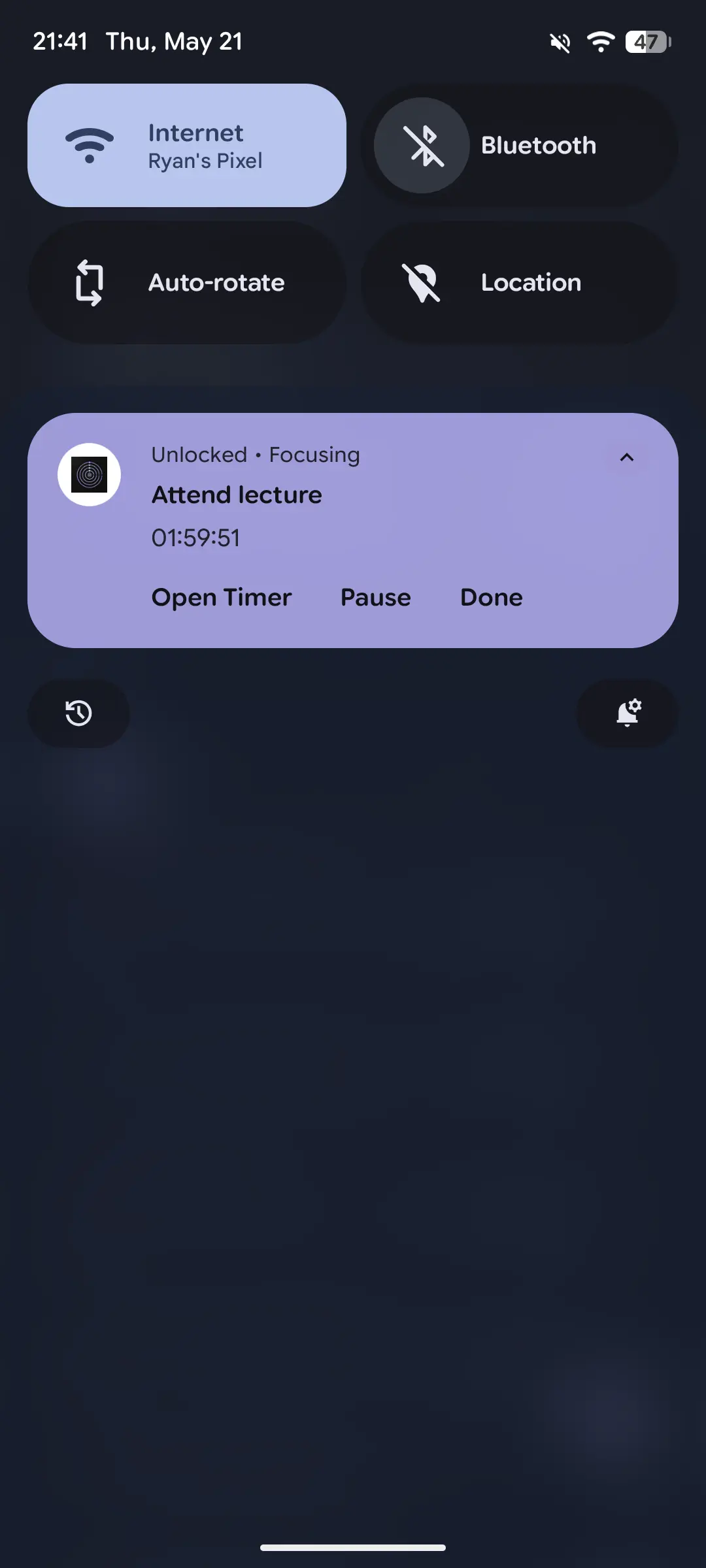
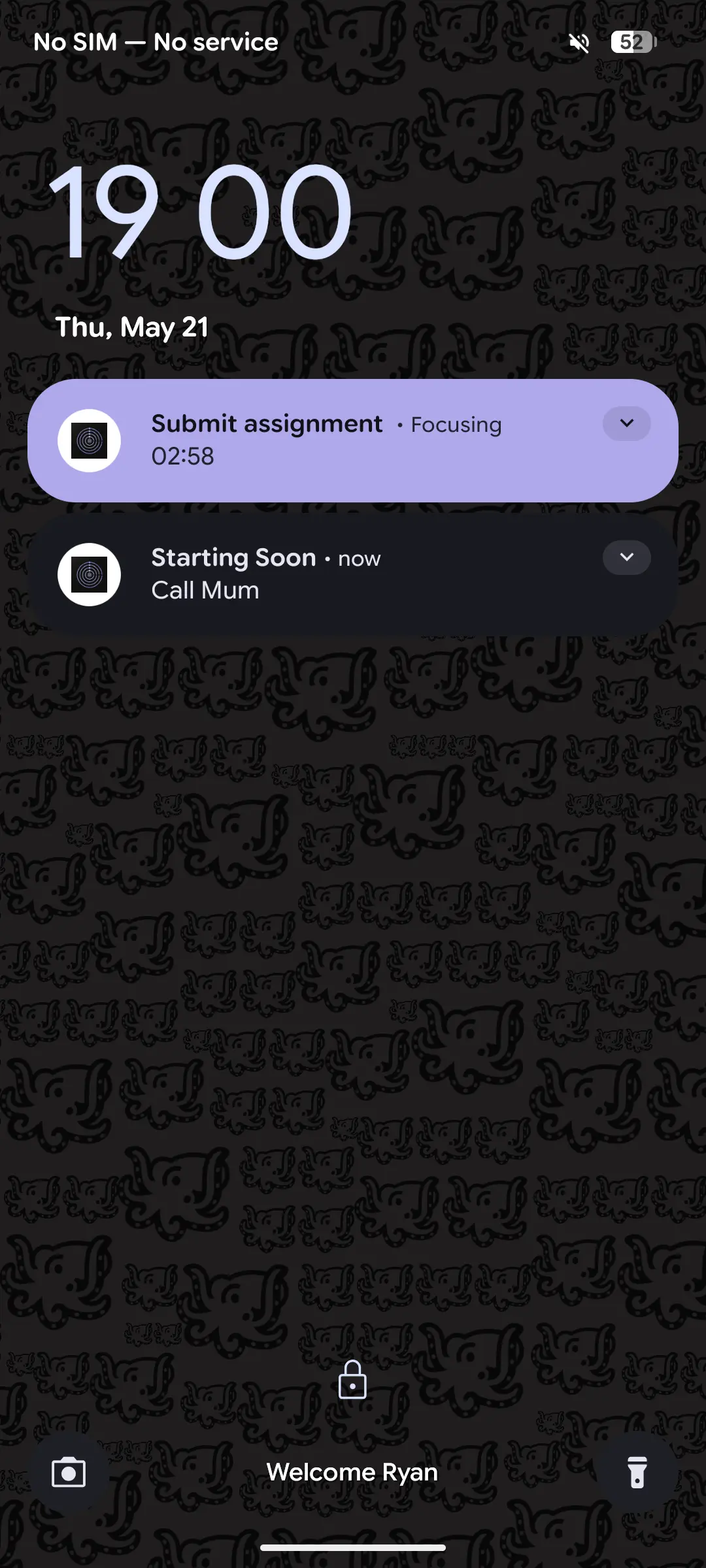
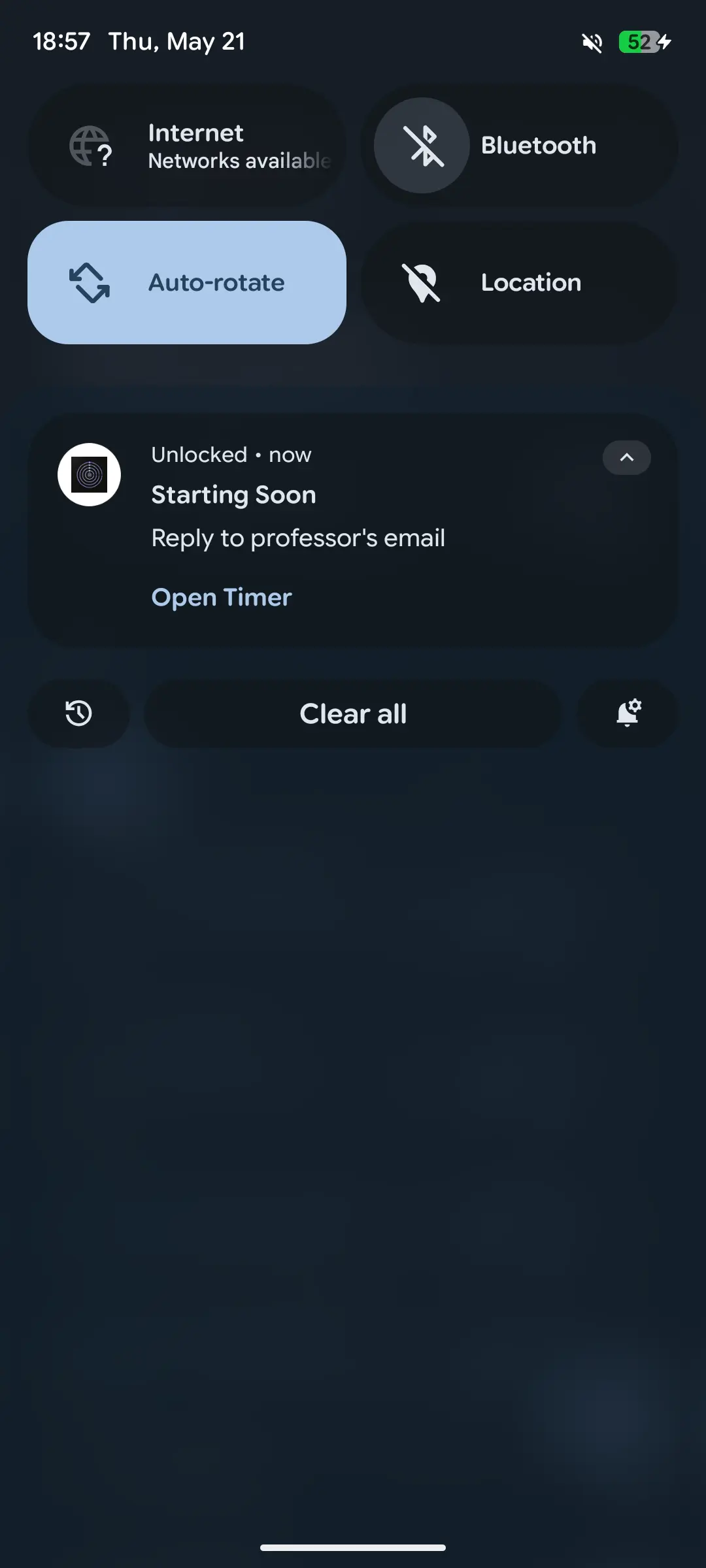
Live timer on your lock screen and notification drawer. Coloured to match your accent. Control the timer without ever opening the app.
See exactly how much time is remaining without opening the app.
Open Timer, Pause, or Done — right from the notification shade.
Scheduled tasks ping you when it's time. Snooze 5 or 10 minutes if you need a moment.
Your chosen accent colour extends to the notification card. The whole experience stays cohesive.
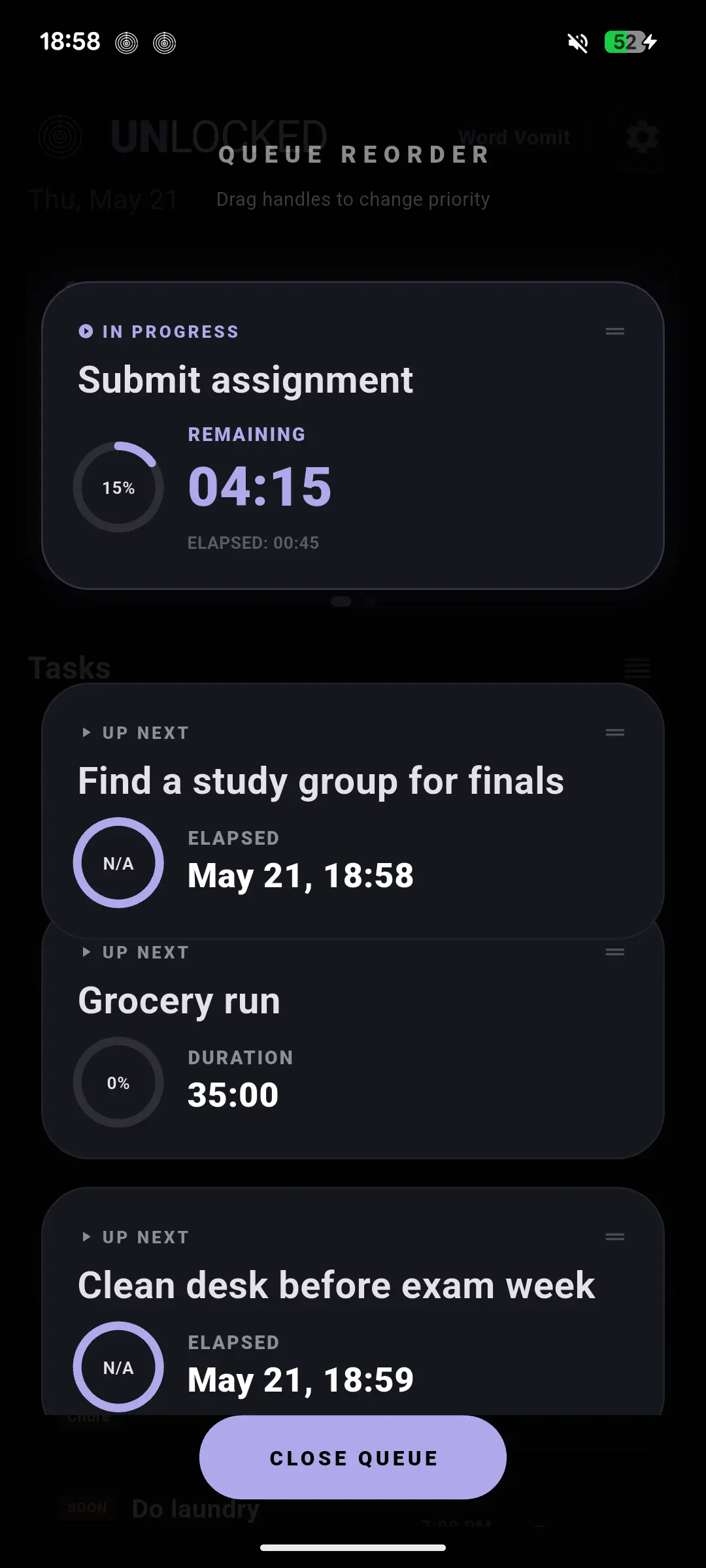
The Queue Reorder screen lets you drag tasks into exactly the order you want to tackle them. One task in progress at a time, everything else lined up behind it.
Drag handles let you shuffle the queue any time. What matters most goes first.
See what's coming after the current task. Mental preparation before you switch.
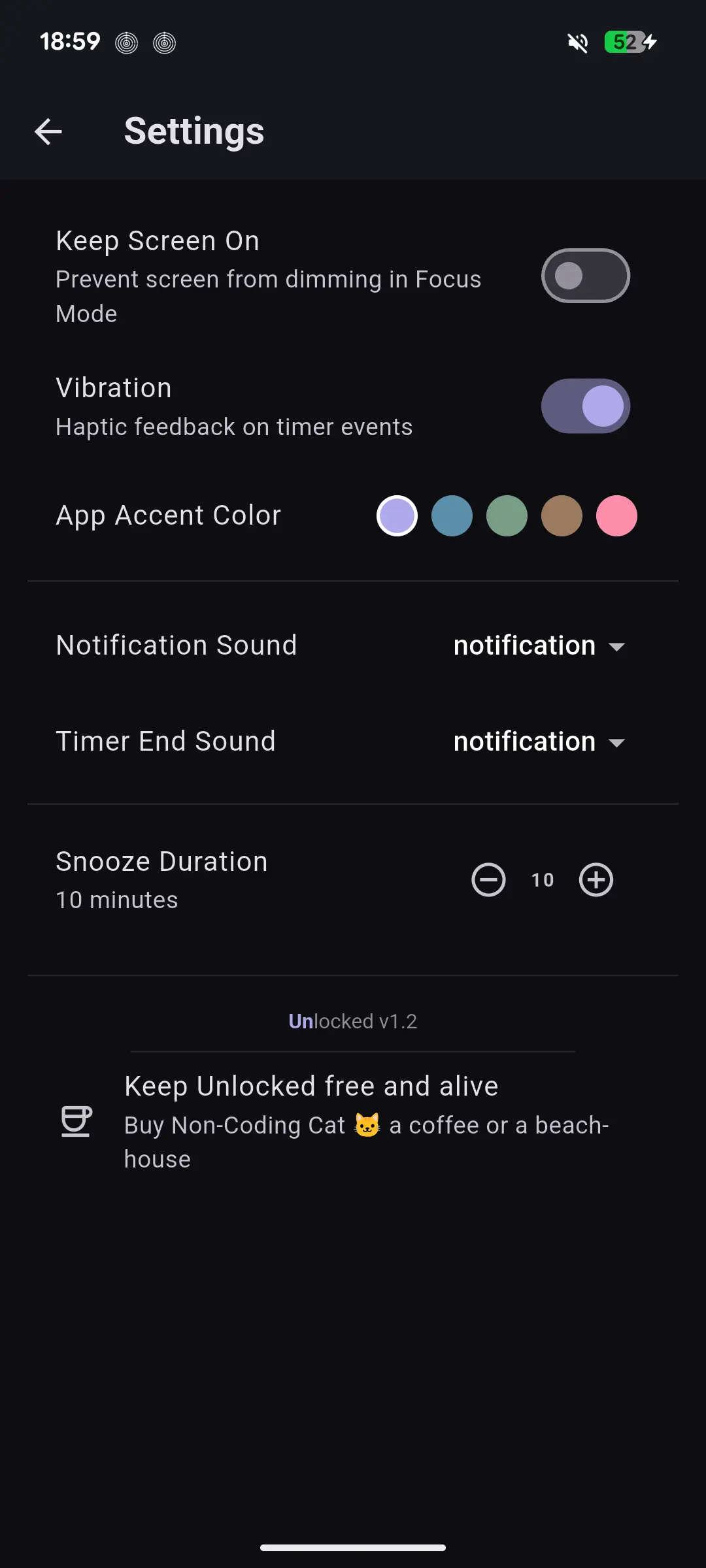
Haptic feedback. Notification sounds. Snooze duration. Screen always on during Focus Mode. Five accent colours. It's your app — set it up the way your brain needs it.
Feel the timer start, pause, and complete. A physical anchor for your focus sessions.
Prevent the screen from dimming during Focus Mode so the timer is always visible.
Choose notification and timer-end sounds. Set your preferred snooze duration.
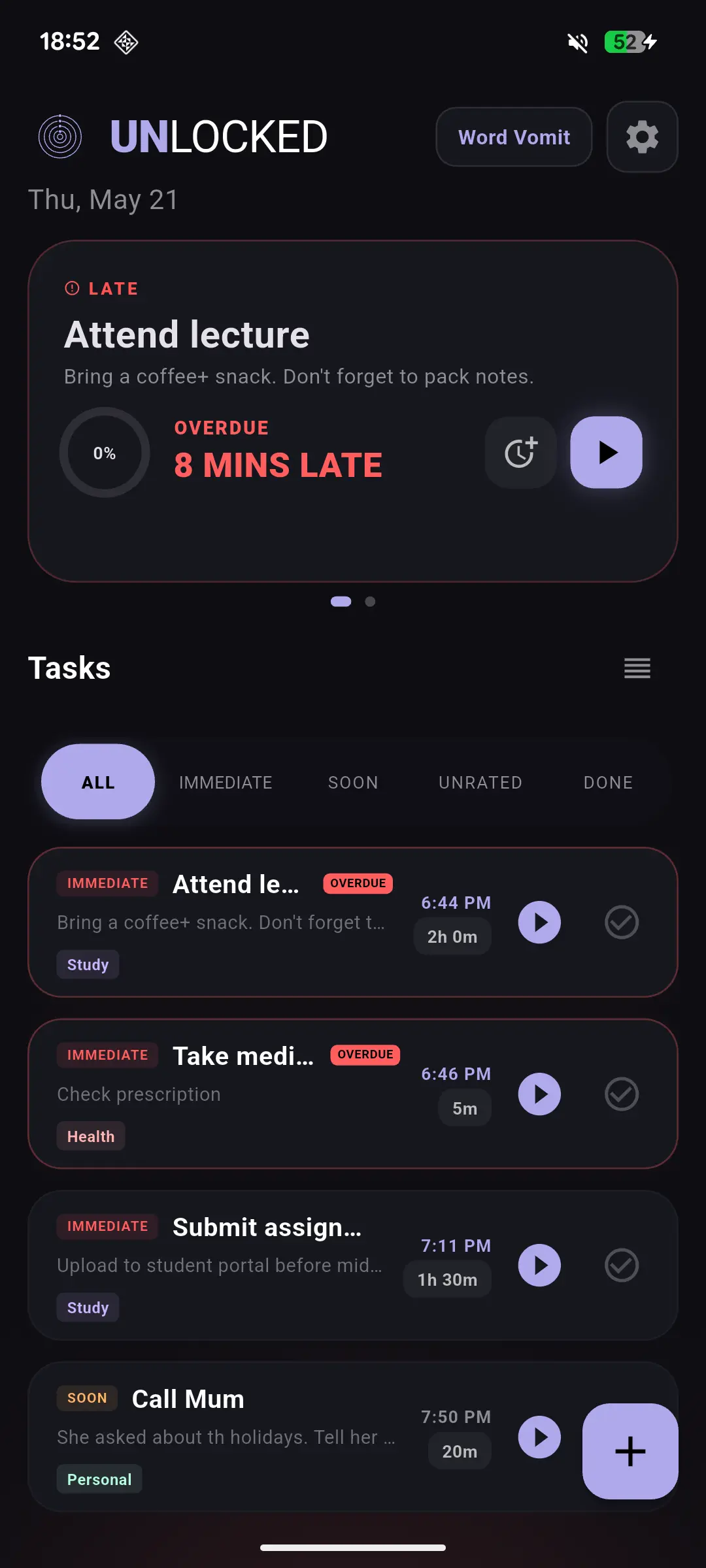
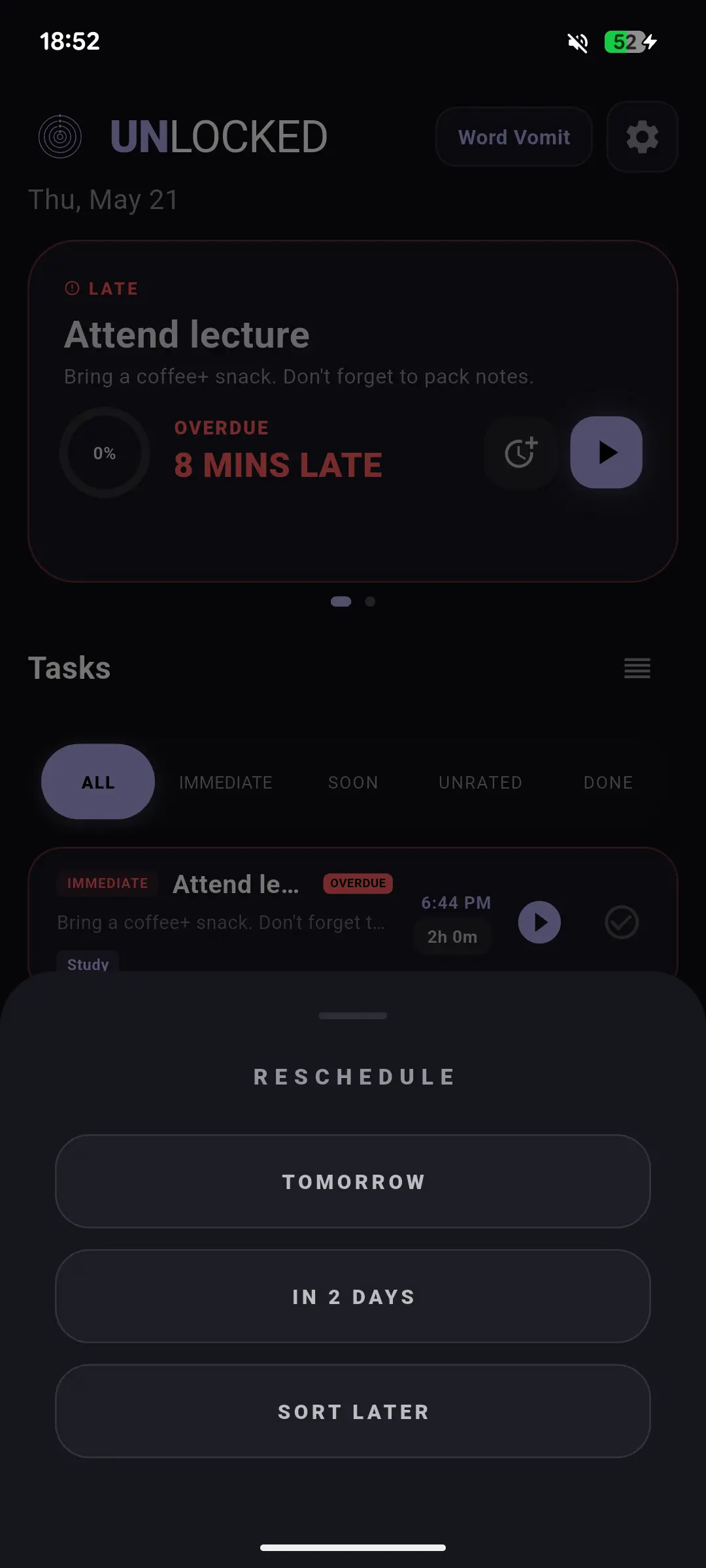
Missed a task? No guilt spiral. The overdue card surfaces it front and centre. Reschedule to tomorrow, in 2 days, or bump it to Sort Later — and keep moving.
Tomorrow, in 2 days, or sort later. Done. No friction, no shame.
Overdue tasks are flagged visibly with how many minutes late they are. Nothing quietly slips through.
If you enjoy Unlocked and want to support future development, you can support the project on Ko-fi.
Contact: hello@noncodingcat.com
Support on Ko-fi